
A QR code that scans, in five steps
Paste a link, or fill in a WhatsApp number, phone, email or UPI ID, and QR Studio draws the code as you type. Everything happens in your browser: the links in your codes are never sent anywhere, and you don't need an account.
- Unlimited codes for any link or text, every error-correction level, your colours with a contrast check
- 600 px PNG download and copy, with a small qr.stroban.app watermark in the corner
- No watermark, PNG up to 2000 px, SVG and PDF
- Your logo in the centre, designs, a frame with a caption, and batches of codes in one ZIP
1Make a code
- Open qr.stroban.app and tap Make a code, or scroll down to the maker.
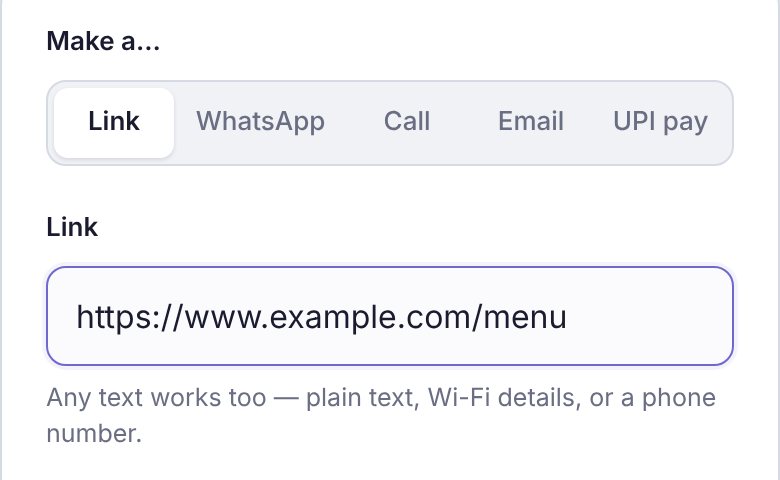
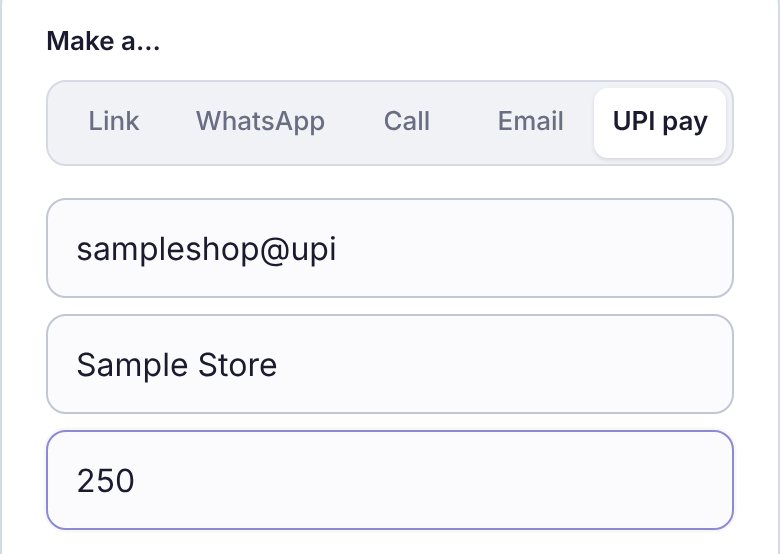
- Under Make a…, choose what the code should do: Link, WhatsApp, Call, Email or UPI pay.
- For a link, paste it in the Link box. Plain text works too. For the others, fill in the boxes that appear, such as the number, or the UPI ID, name and amount.
The code appears on the right (below, on a phone) and changes as you type.
2Check it will scan
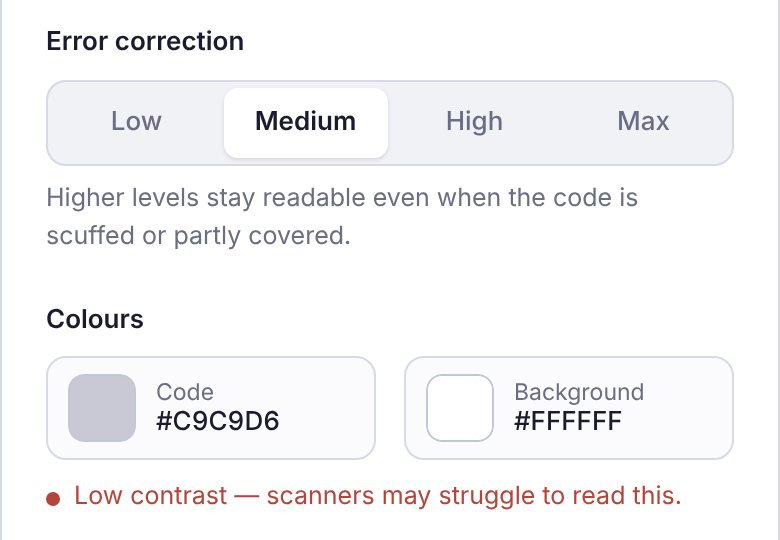
- Error correction: Medium suits most uses. Choose High or Max for a code that may get scuffed or partly covered, such as on a table or a box.
- Colours: tap Code or Background to pick your own. Keep the code dark on a light background.
- If the colours are too close, a red note says "Low contrast — scanners may struggle to read this." Make the code darker or the background lighter until it goes away.
Before you print a batch, scan the code once with your phone's camera.
3Download or copy
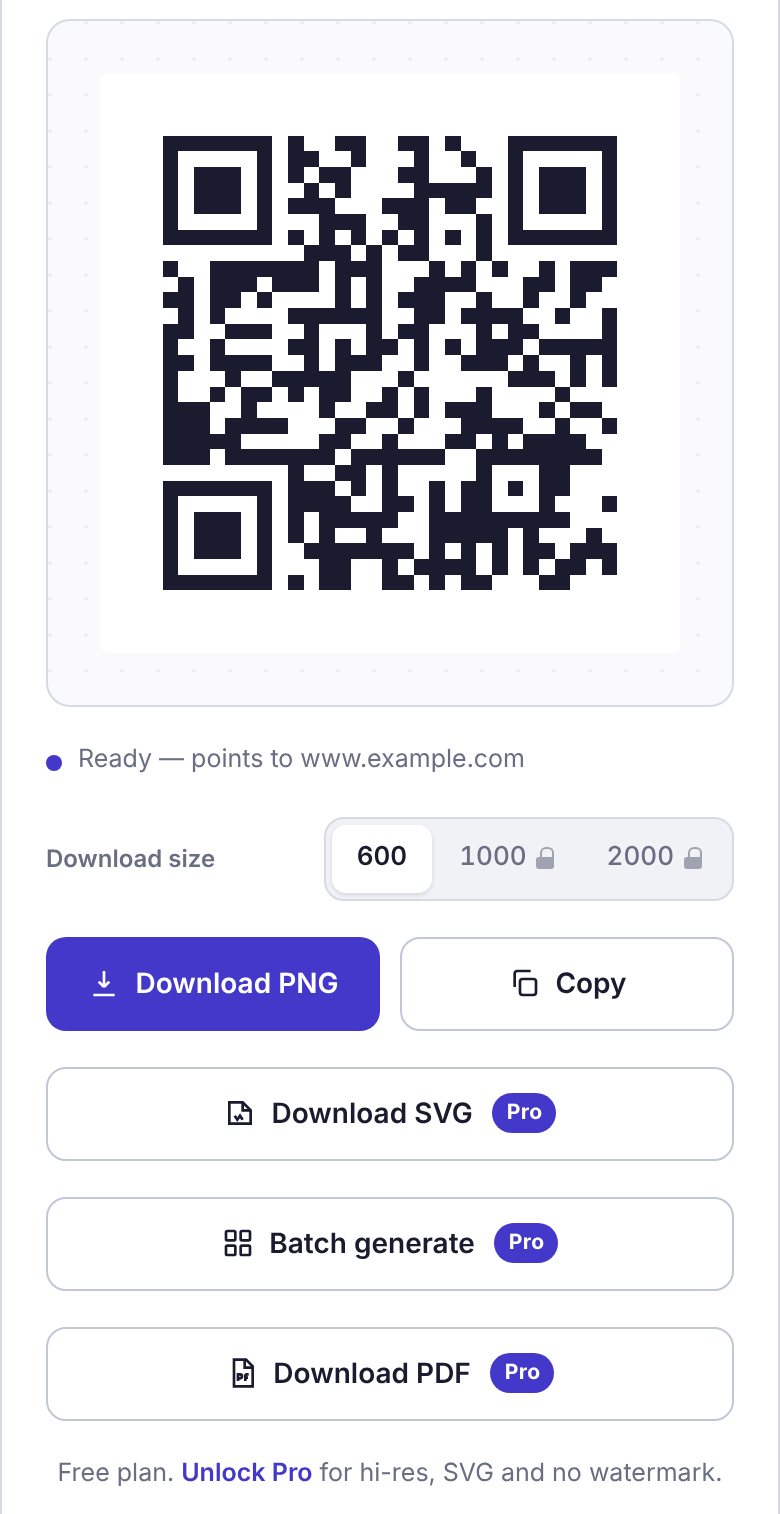
- Download PNG saves the picture to your Downloads.
- Copy puts it on your clipboard, to paste straight into a document, a slide or a chat.
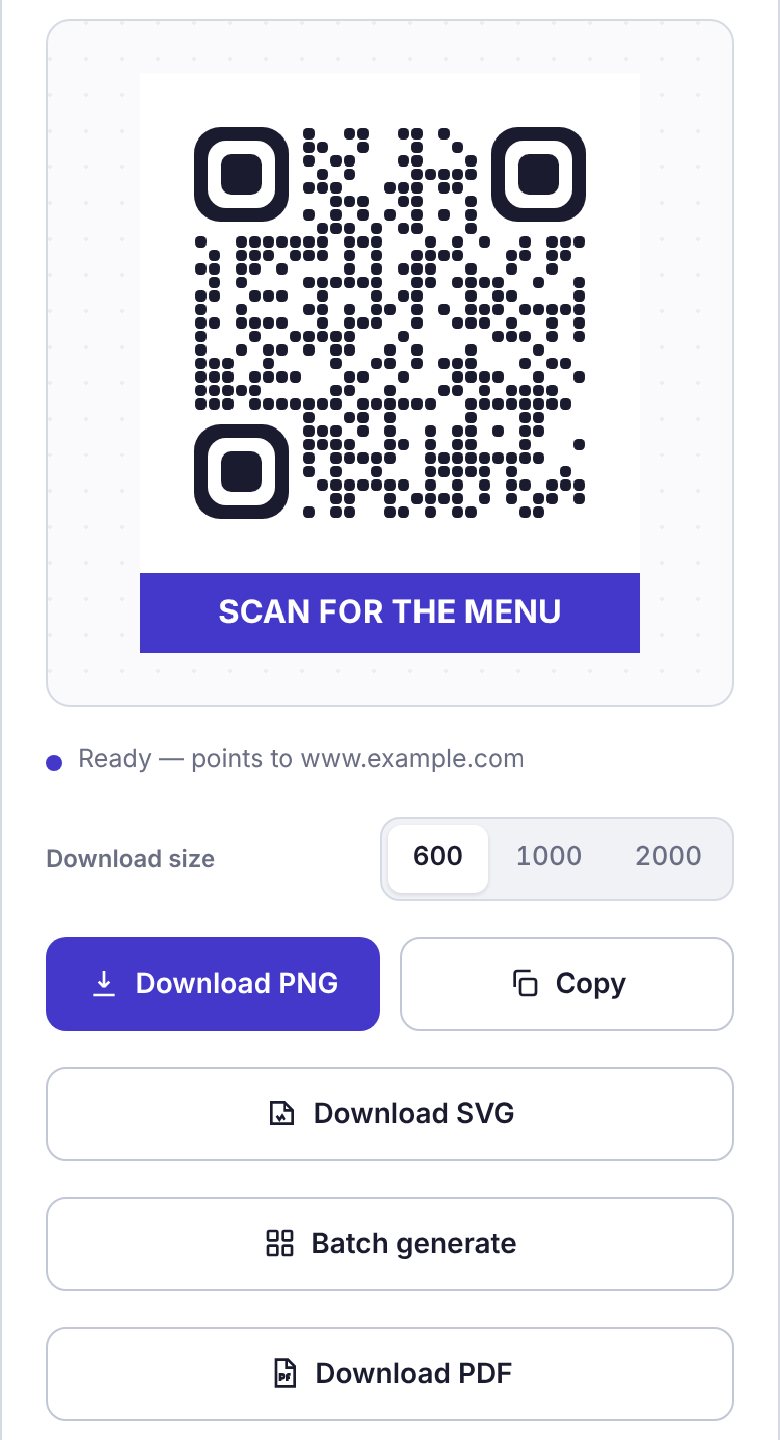
- Under the code, "Ready — points to …" shows where the code will take people.
On the free plan the download is 600 px, with a small qr.stroban.app watermark in the corner. The bigger sizes and the buttons marked Pro come with Pro.
Something wrong with a code? Tap Something wrong with this code? Tell us under the buttons.
4The Pro extras Pro
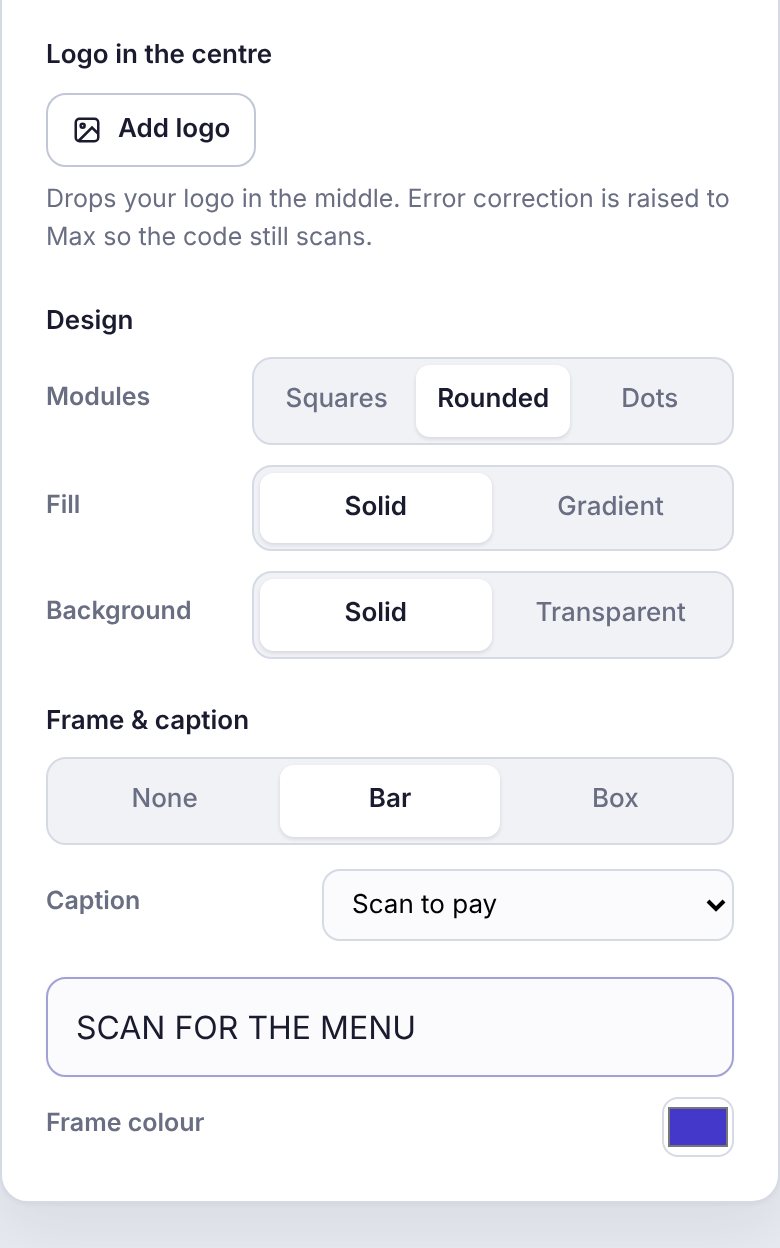
- Logo in the centre: Add logo drops your logo in the middle. Error correction goes up to Max so the code still scans.
- Design: Modules as Squares, Rounded or Dots; a Gradient fill; a Transparent background.
- Frame & caption: Bar or Box, with a ready caption such as "Scan to pay" or your own words.
- Bigger and print-ready: PNG at 1000 or 2000 px, Download SVG for a printer, and Download PDF.
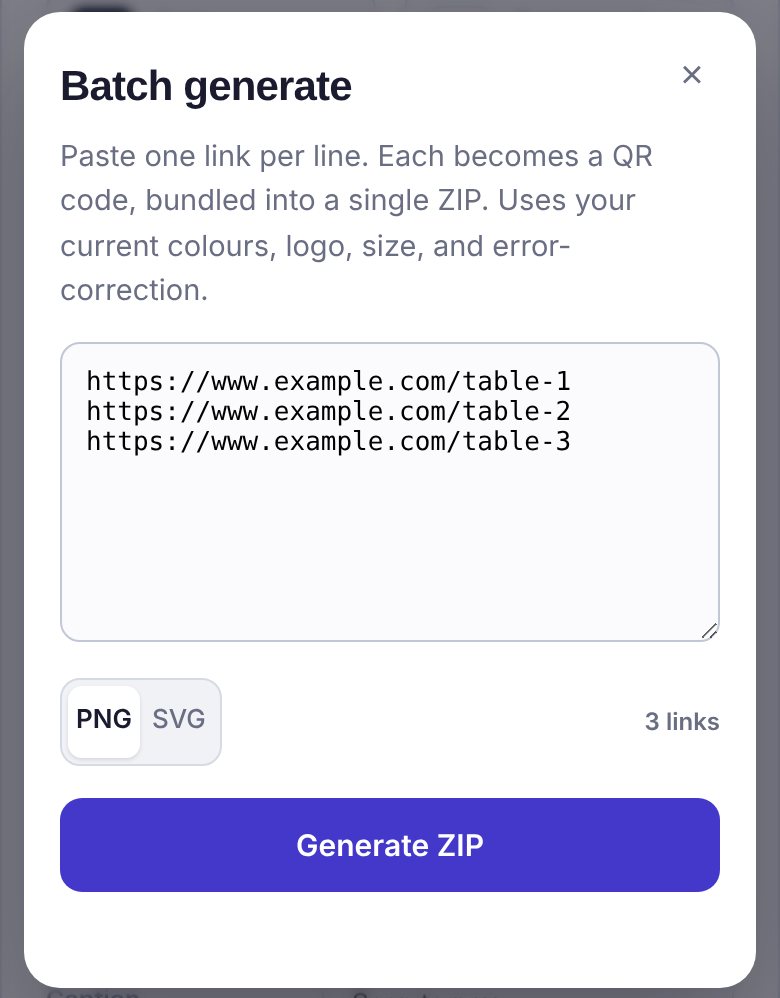
Batch generate makes many codes at once, for example one per table or one per product: paste one link per line, choose PNG or SVG, and tap Generate ZIP. Every code uses your current colours, logo, size and error correction.
5Activate Pro Pro
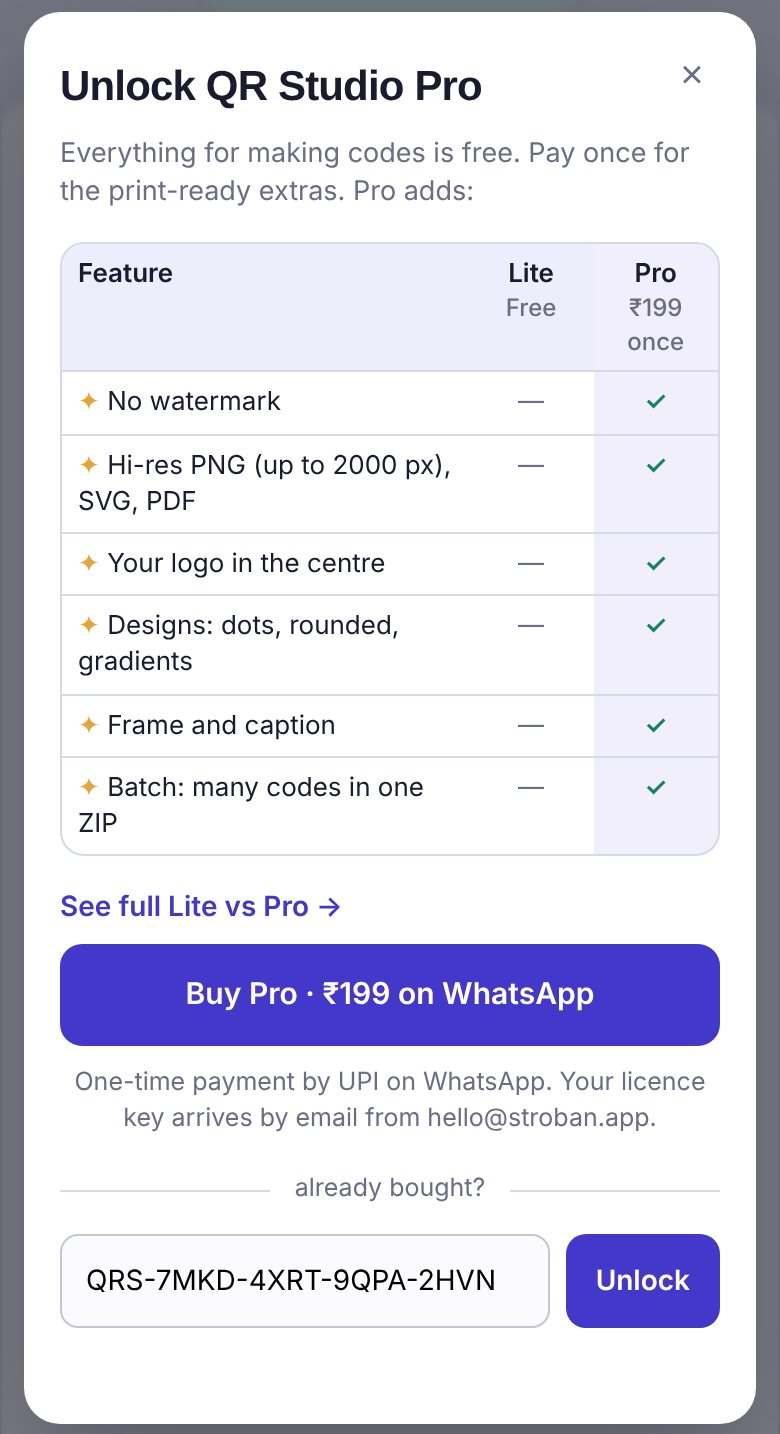
Tap ✦ Get Pro, then Buy Pro · ₹199 on WhatsApp. Outside India, the button shows $12 and we send a payment link on WhatsApp (travelling? Outside India? See the $12 price in ⚙ Settings switches the price). Your key arrives by email from hello@stroban.app (check spam the first time). It looks like QRS-XXXX-XXXX-XXXX-XXXX.
- Tap ✦ Get Pro at the top, or ⚙ and then Already bought? Enter key.
- Paste the key in the box under "already bought?" and tap Unlock.
- "Unlocked. Enjoy Pro!" appears, the watermark goes, and the Pro buttons work.
Pro stays on that browser. To use it on another phone or computer, paste the same key there.
✓Good to know and help
- Private by default. Codes are made in your browser. Only these ever reach Stroban: your email and name if you choose to sign in, your licence key when you activate it, and a feedback message if you send one.
- Signing in is optional. ⚙ Settings → Account keeps a contact with us. Your codes never need an account.
- Install it. ⚙ Settings → Install QR Studio adds it to your home screen or desktop, and it works offline. On an iPhone: Share, then Add to Home Screen.
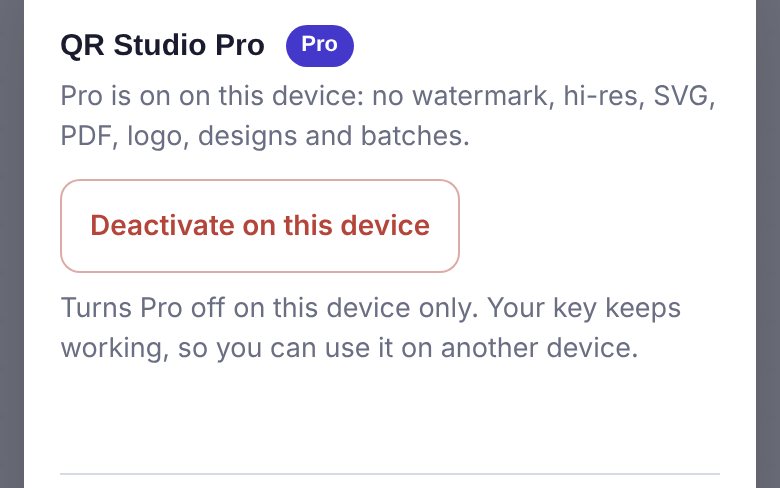
- A shared or office computer? Use ⚙ Settings → Deactivate on this device before you leave it. Your key keeps working.
+91 83673 54510
hello@stroban.app
Tap Feedback at the top of QR Studio. If we use it, you get Pro at 50% off (₹99, or $6).